Free, but you don't get to see the file. Or touch it.
Kindle Create is Amazon's own tool, and it's free. It also locks your margins and font size to whatever KDP calculates for you, and exports a package built only for KDP's upload flow, with no inspectable PDF and no named check of what it built.
Upload your manuscript (free preview)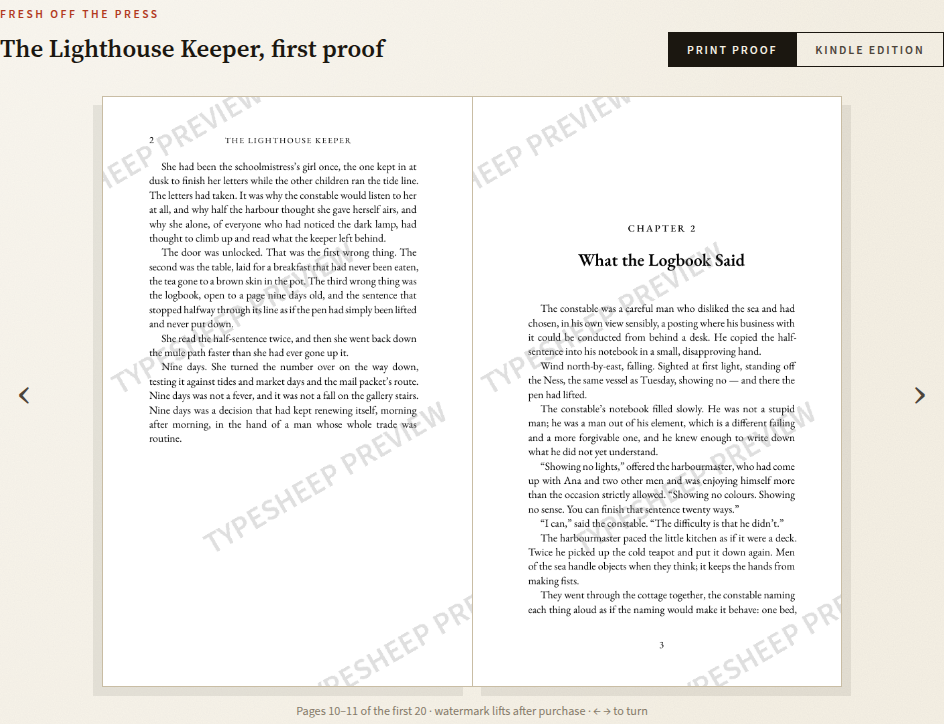
What each tool actually does
| Kindle Create | Typesheep | |
|---|---|---|
| Price | ✓ Free | $20-$40 per book, by length |
| Platform | Windows or Mac desktop app | ✓ Any browser, any OS |
| Print paperback / hardcover interiors | ✓ Yes, since recent updates | ✓ Yes |
| You control margins and font size | ✗ No — set automatically by KDP | ✓ You choose trim, paper and page-air preset |
| Output you can open, inspect, and keep | ✗ KPF package, built for KDP's upload flow only | ✓ A real print-interior PDF and Kindle EPUB |
| Named preflight report before publishing | ✗ No itemized check | ✓ Every check named next to its result |
| Refund if KDP rejects the file | ✗ Not applicable, nothing was purchased | ✓ Full refund guarantee |
Kindle Create capabilities as published by Amazon KDP at time of writing; verify current features on their help pages before using it.
Free comes with two real costs
Kindle Create is a genuinely useful free tool, and for a straightforward manuscript with minimal interior complexity, it can get a book onto KDP without spending anything. Two limits come with that price. First, you can't set your own font size or margins for either paperback or hardcover; KDP calculates the inside gutter and outside margins automatically from your trim size and page count, and there's no way to review or override that calculation before you submit. Second, the tool exports a KPF package built for KDP's upload flow specifically, not a print PDF or EPUB file you can open, page through, send to a proof copy service, or keep as your own archive independent of Amazon.
Typesheep gives you both of those back. You choose the trim size, paper stock, and page-air preset, see the exact spine width and margins that result, and download the actual print-interior PDF and Kindle EPUB, files that are yours to open, inspect, or send anywhere, with a preflight certificate naming every check the build passed.
A file you can keep, a check you can see.
- Print-interior PDF, ready to upload to KDP
- EPUB 3 for Kindle
- Preflight certificate: every KDP rule checked
- Cover template with spine math
- 30 days of unlimited rebuilds
- Refund if KDP rejects a certified file
Additional editions of the same title, like hardcover, large print, or another trim, are $20 each.
Common questions about Typesheep vs. Kindle Create
Can Kindle Create format a print paperback, not just an ebook?
Yes, it now supports paperback and case-laminate hardcover interiors and produces a KPF file for direct upload to KDP. You can't set your own font size or margins for either format; KDP calculates the gutter and outside margins automatically from trim size and page count, with no way to review or adjust the result first.
Does Kindle Create give me a downloadable, inspectable print PDF?
No. It exports a KPF package built for KDP's own upload flow, not a portable PDF you can open, review, or send anywhere else. Typesheep gives you an actual print-interior PDF and Kindle EPUB you own and can inspect before and after uploading.
Does Kindle Create check the file against KDP's requirements before publishing?
It applies KDP's own automatic margin and gutter rules as you build, but doesn't produce an itemized report of every check and its result. Typesheep runs that check separately after typesetting and shows the full report before you pay.
Is Kindle Create free, and is Typesheep worth paying for instead?
Kindle Create is free. Typesheep starts at $20 per book. The trade is margin and font control Kindle Create doesn't offer, a real inspectable PDF and EPUB instead of a KDP-only package, a preflight certificate, and a refund if KDP rejects a certified file. The preview that shows you the result is free on both.